

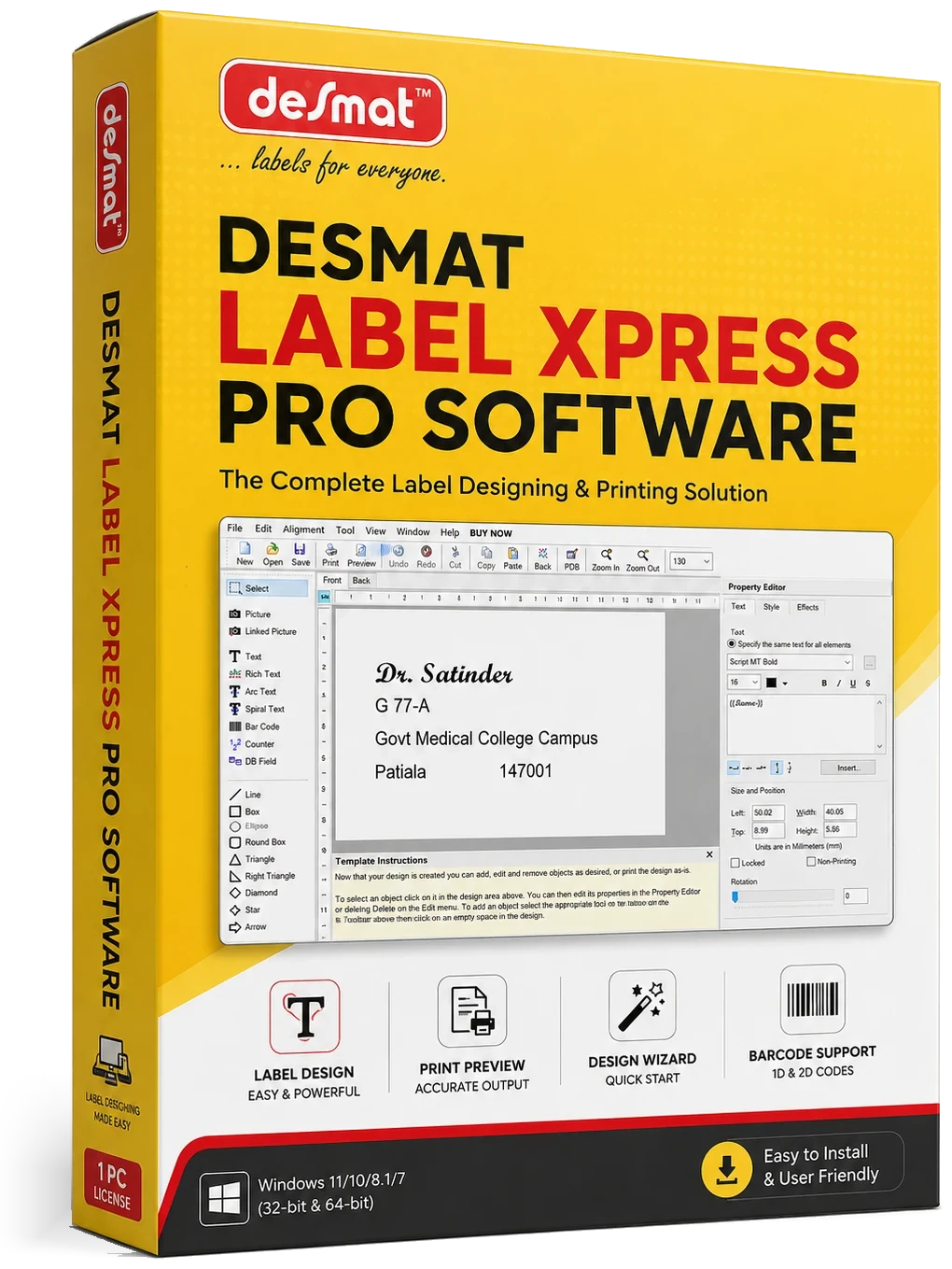
Label Design & Printing Software
Desmat LabelXpress Pro
Design, Preview and Print Labels with Greater Control
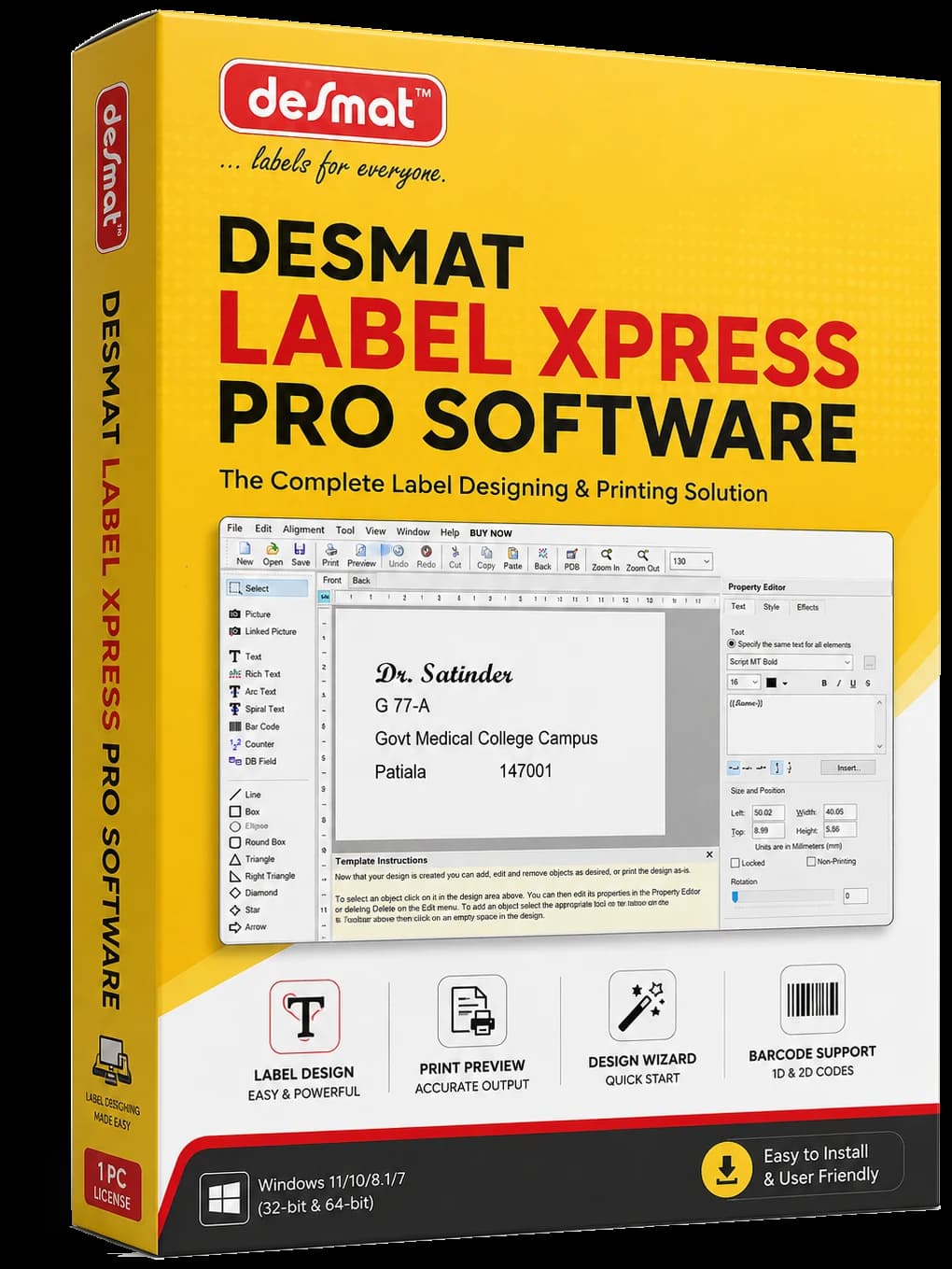
Desmat LabelXpress Pro brings label design, ready-to-use layouts and printing tools together in one desktop application. Choose the required Desmat label format, create your design, add text, images, barcodes or variable data, preview the output and prepare it for printing.
A paid licence is required after the free trial.Get yours from the Desmat team at any time, during the trial or after it.Contact Desmat
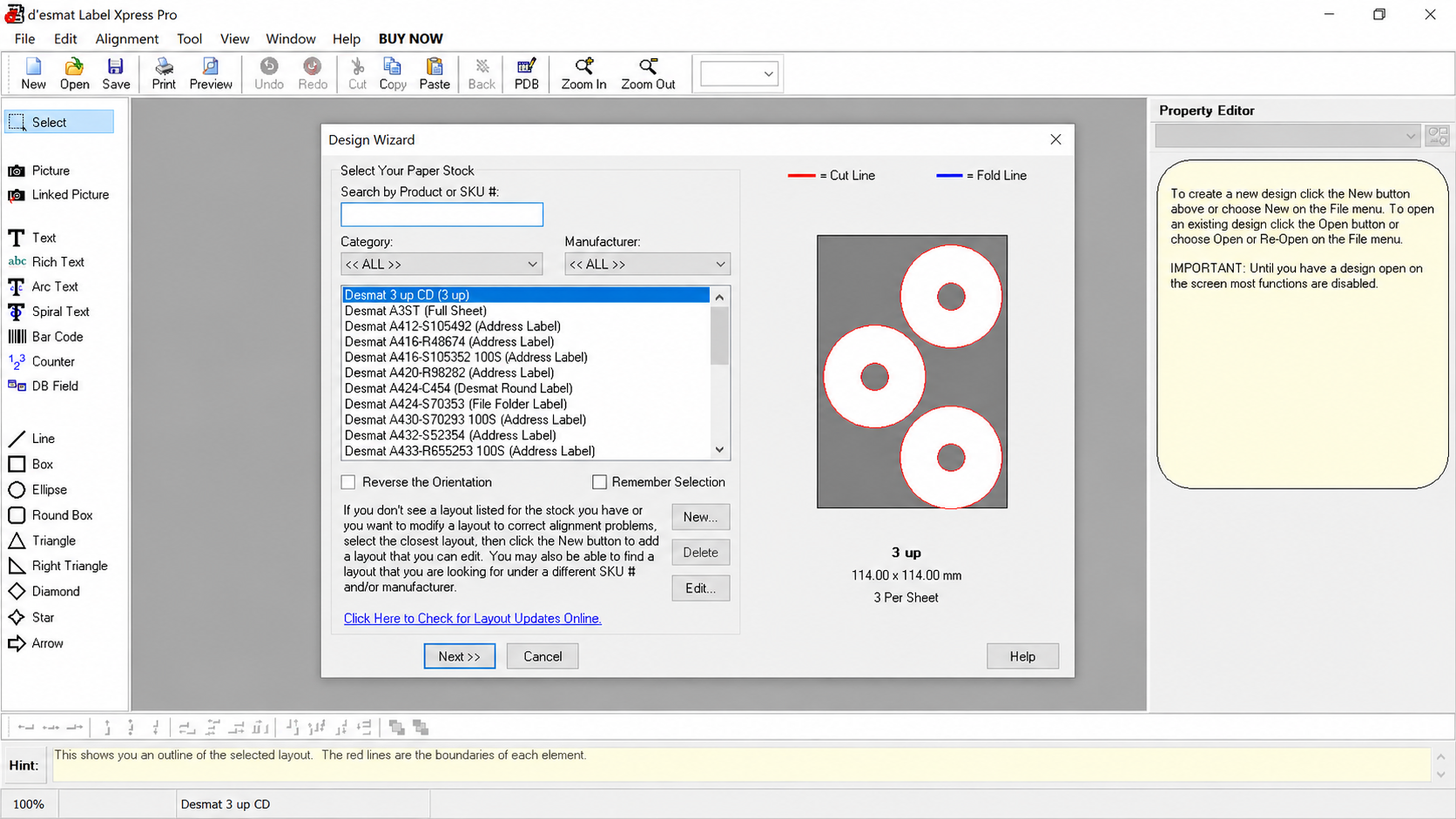
- Design WizardChoose a label layout and start designing.
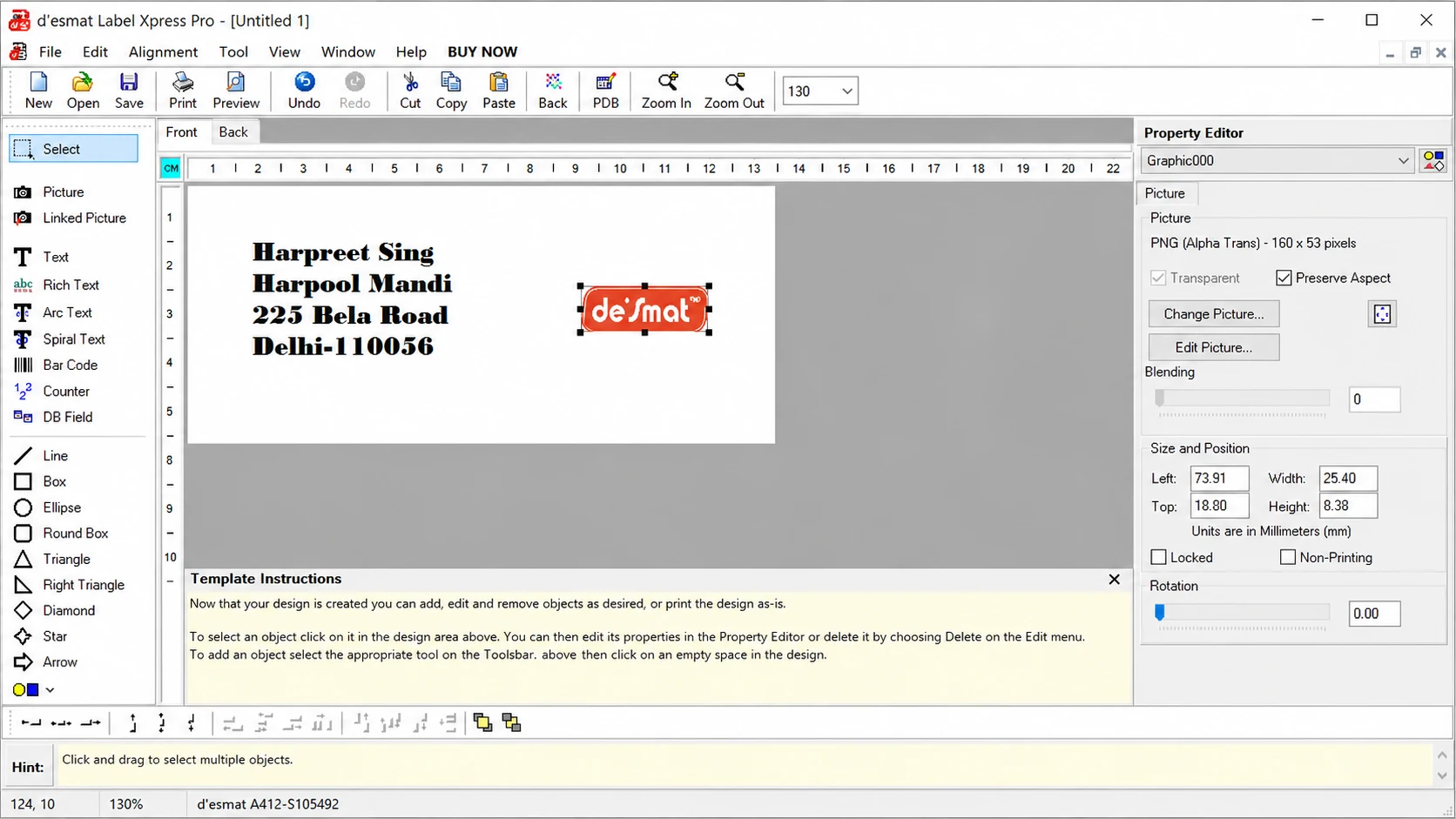
- Flexible Design ToolsWork with text, images, barcodes and data fields.
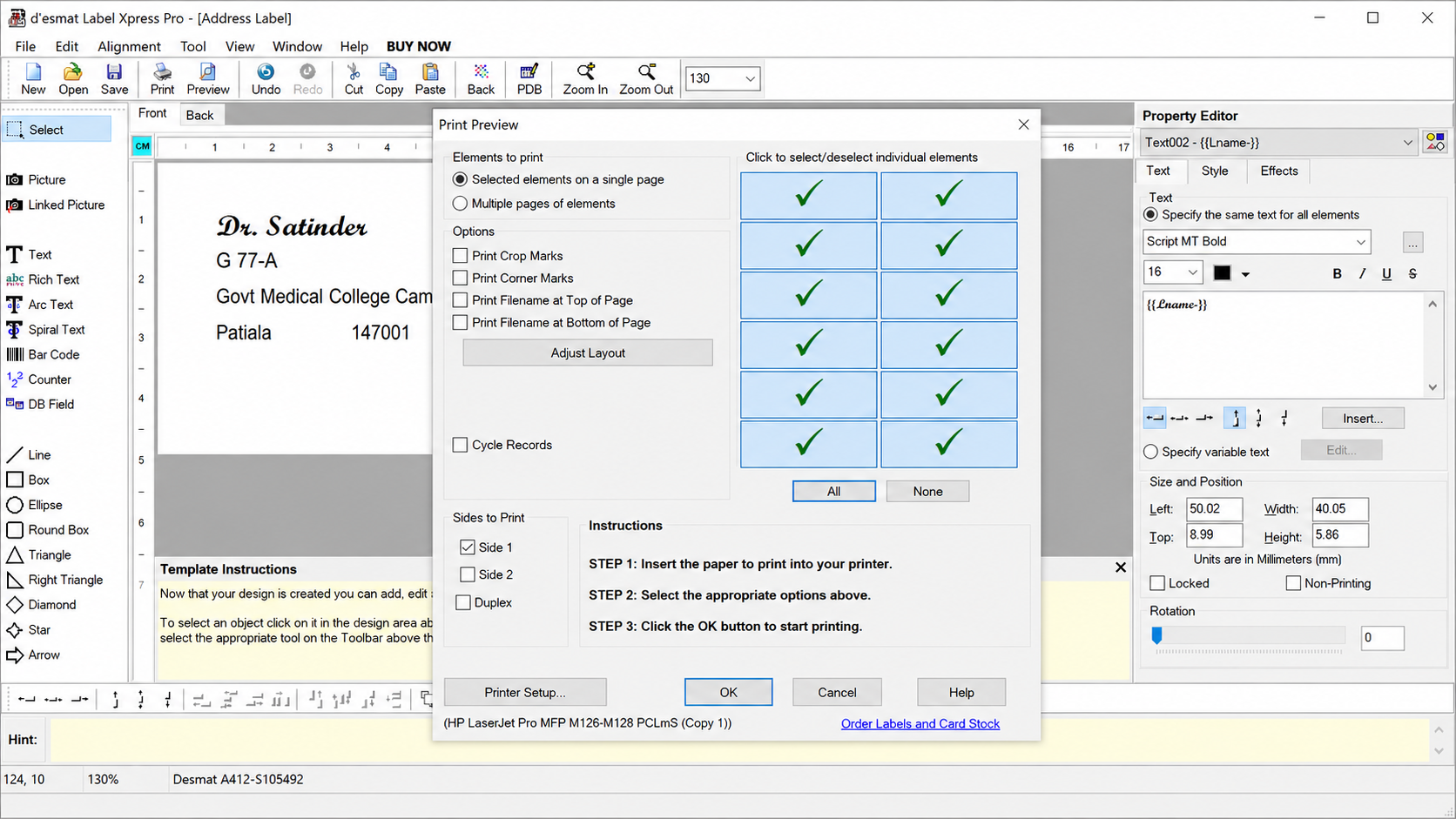
- Print PreviewReview your label layout before printing.
Why LabelXpress Pro
Less Setup. More Control Over Every Label.
Creating labels often involves more than placing text on a page. The right layout has to match the label stock, designs may need to be reused, information can change from one label to another, and the final output needs to be checked before printing.
LabelXpress Pro brings these practical parts of label preparation into one organised workflow.
A more organised way to prepare everyday labels, repeat jobs and data-driven print requirements.
Start with the Right Label Layout
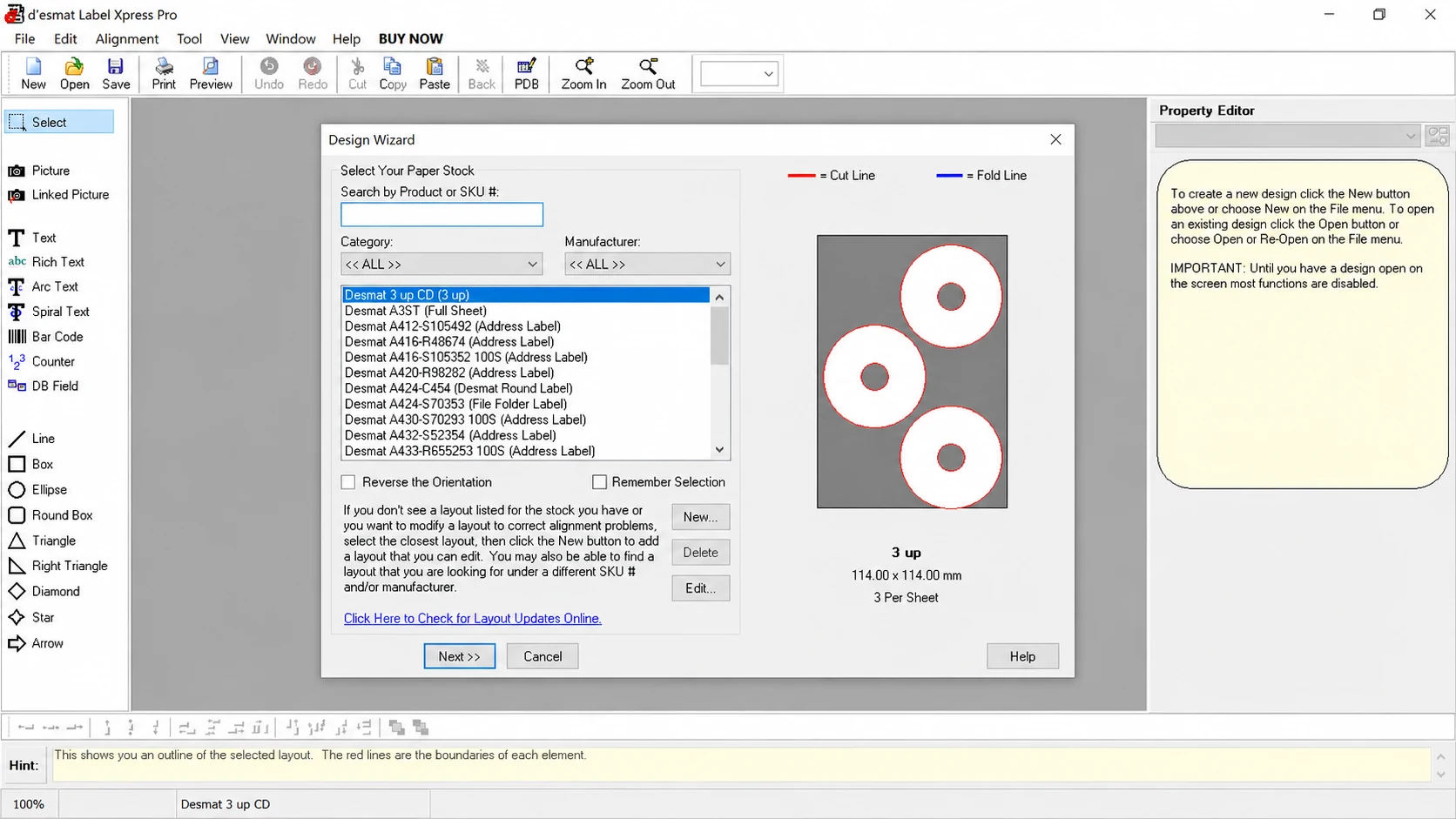
Use the Design Wizard to search and select the required Desmat label stock or layout instead of building the page setup from scratch.
Design Wizard
Keep Your Designs Ready for Reuse
Save label designs, reopen previous work and continue editing when the same layout is needed again.
Open · Save
Handle Changing Information More Efficiently
Work with database fields, counters and linked content when labels need different names, addresses, numbers or other changing information.
DB Field · Counter
Check the Output Before You Print
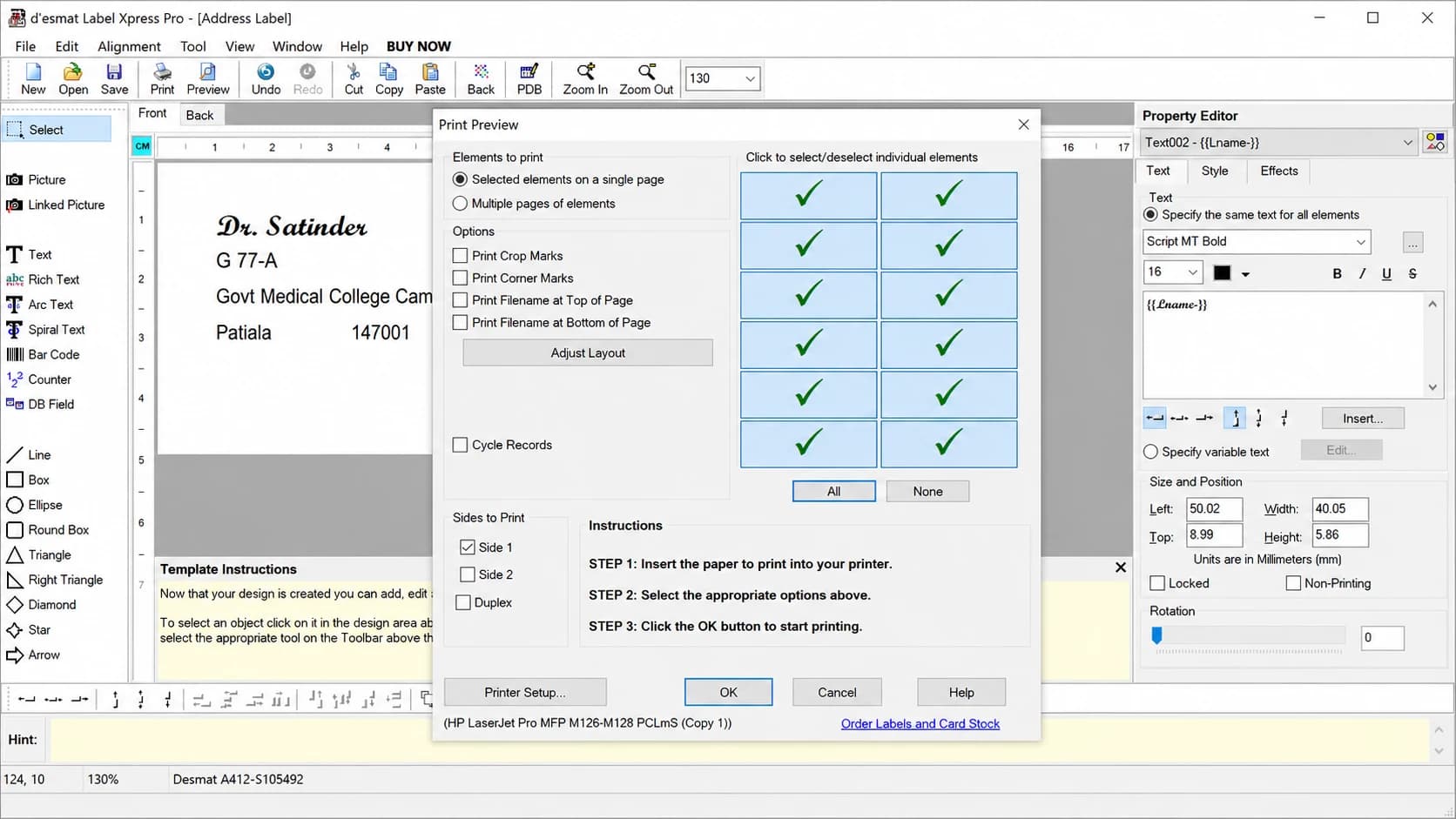
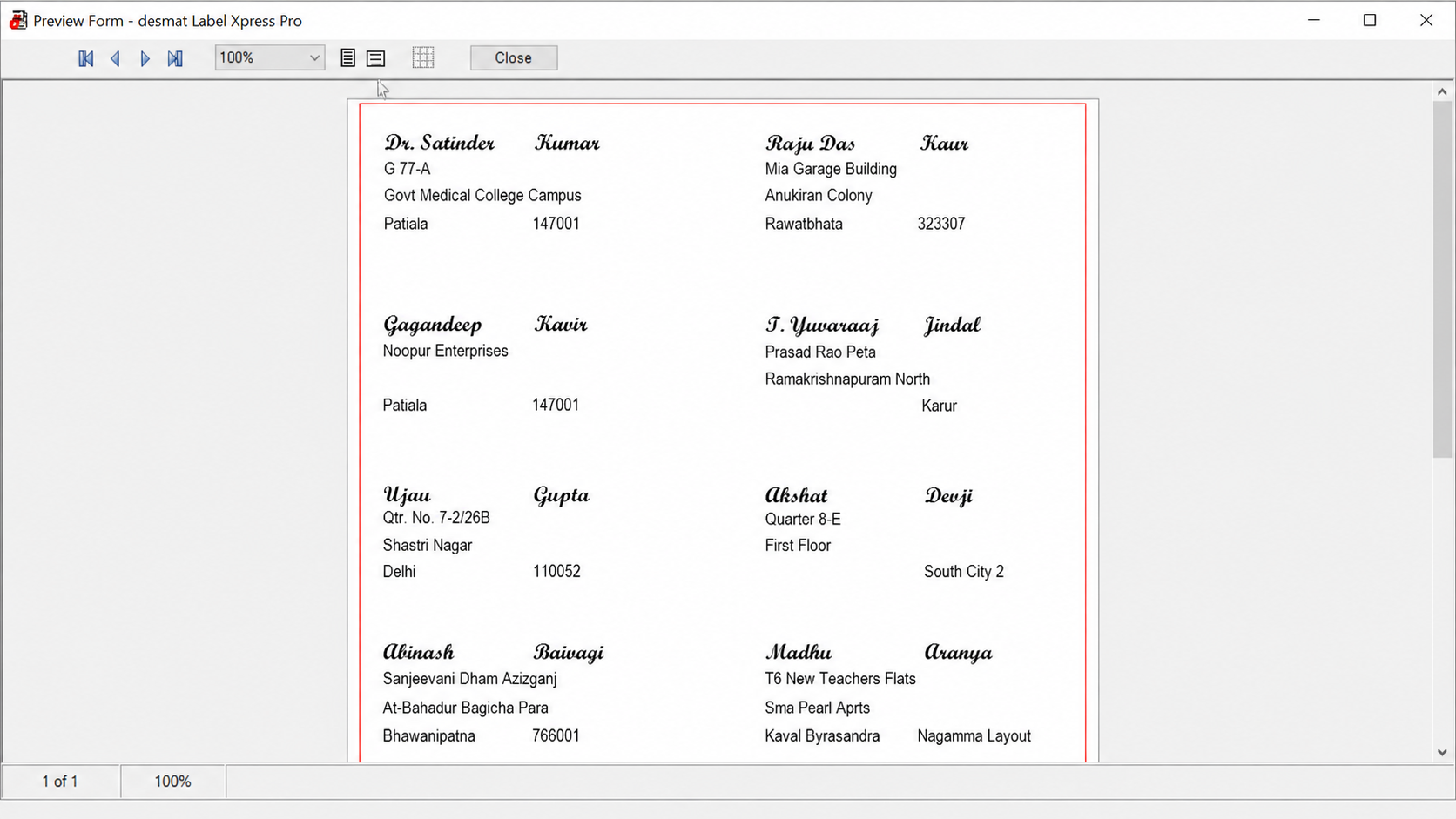
Review the label arrangement and selected print elements before sending the final job to the printer.
Print Preview
How It Works
From Label Selection to Print in One Clear Workflow
LabelXpress Pro guides the user through the main stages of label preparation, from choosing the correct layout to checking the final print output.
- 01
Install and Start
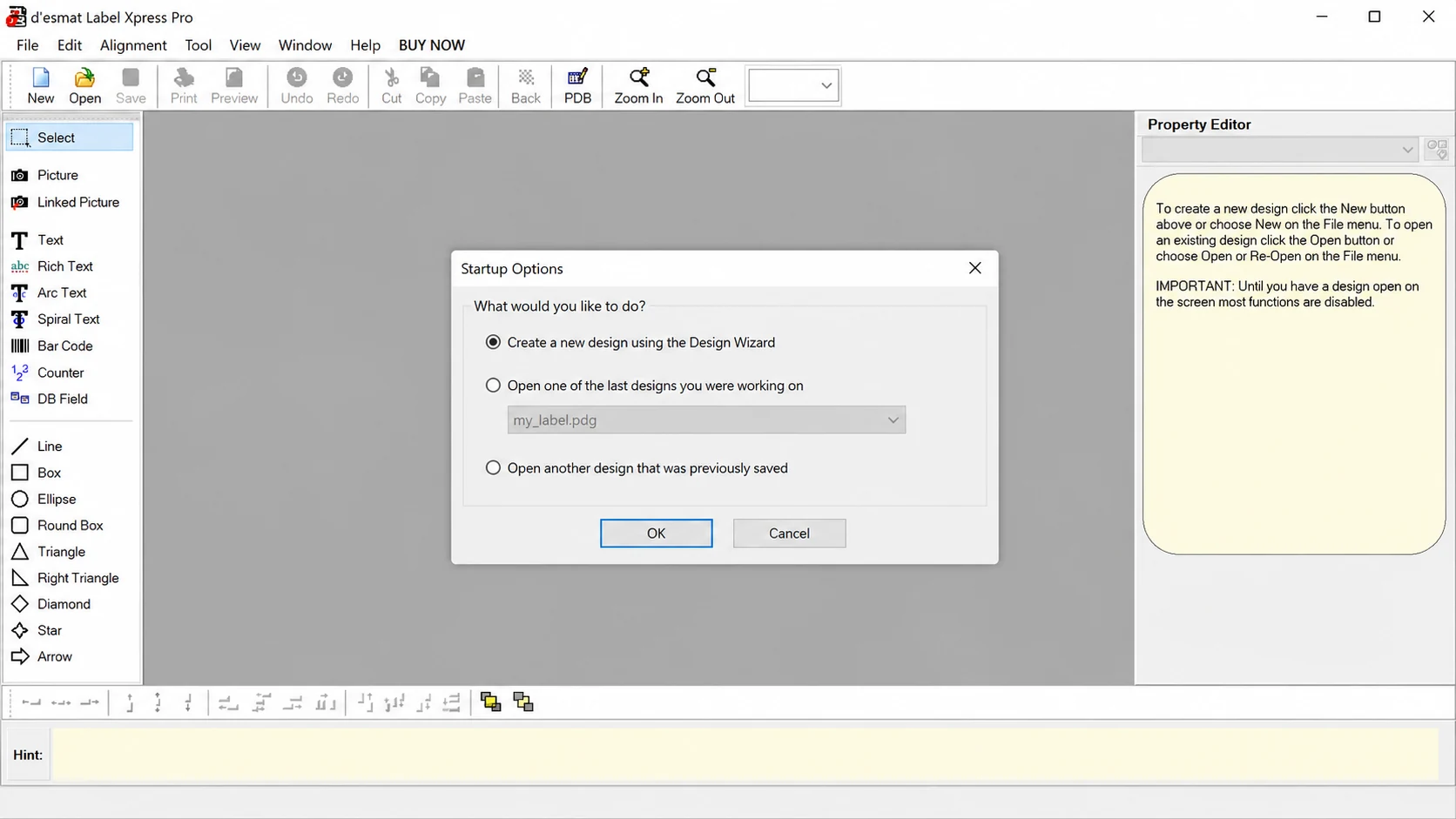
Install LabelXpress Pro on your Windows computer and open the software to begin a new design or continue with a previously saved one.
- 02
Choose the Label Layout
Use the Design Wizard to search for the required Desmat stock or SKU and select the layout that matches the label sheet being used.
- 03
Create the Label
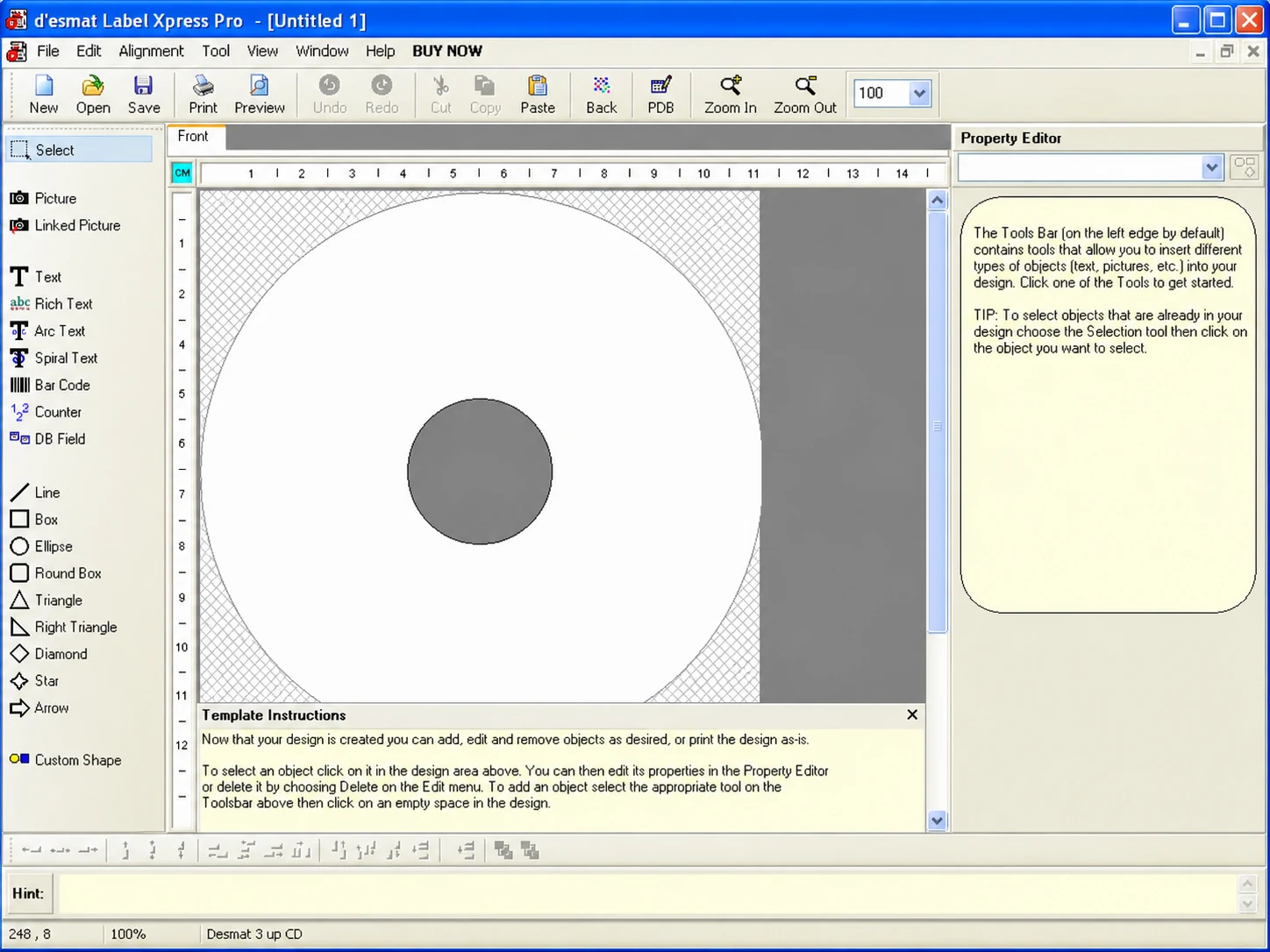
Build the label using the available design tools. Add text, images and other required elements, then position them within the selected layout.
- 04
Add Variable or Structured Data
Where required, use database fields, counters, linked images or other variable information to prepare labels containing changing content.
- 05
Review Before Printing
Use Print Preview to confirm which labels will print and check the layout before sending the job to the printer.
- 06
Check the Final Output
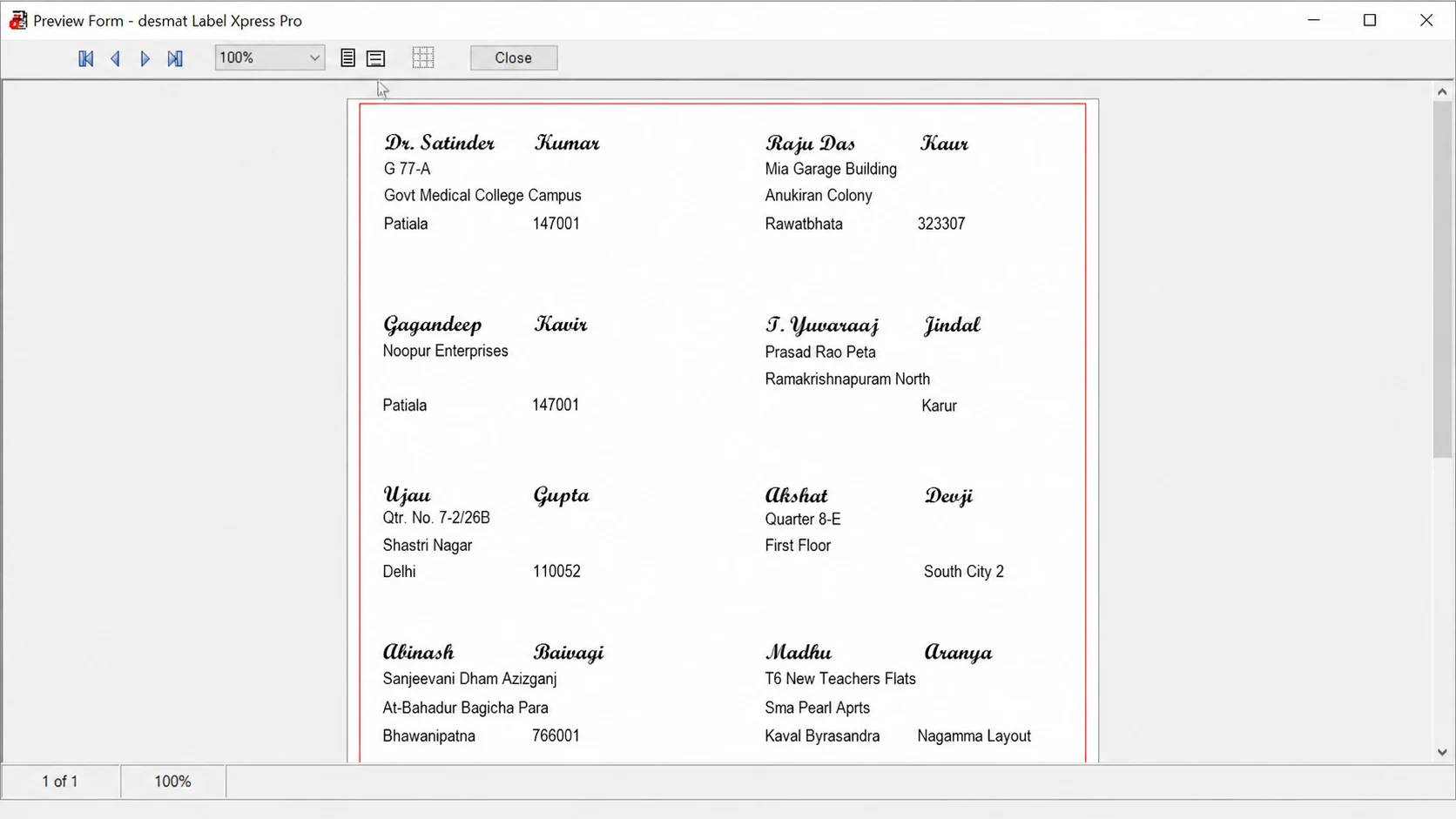
Preview the complete sheet and confirm that the information is positioned correctly across the labels before completing the print process.
Step 01Install and Start
A guided process that keeps layout selection, label creation and print preparation connected from start to finish.
Core Capabilities
More Than Basic Text and Image Placement
LabelXpress Pro gives users a practical set of tools for building everyday labels as well as more structured, data-driven designs. Add visual elements, organise changing information and create layouts suited to different labelling requirements.
- Text
- Rich Text
- Arc Text
- Spiral Text
Text That Fits the Design
Add standard text, rich text, arc text and spiral text to create everything from simple information labels to more customised layouts.
- Picture
- Linked Picture
Images and Linked Pictures
Place logos, product images or other graphics directly into a label, with support for linked pictures where the image needs to change with the associated data.
- Bar Code
Barcodes
Add barcodes as part of the label design for identification, inventory, product or other business labelling applications.
- Counter
Counters and Sequential Information
Use counters where labels require changing numbers or sequential information across a print job.
- DB Field
Database Fields
Insert information from connected data sources into the design, helping prepare labels with changing names, addresses or other records.
- Line
- Box
- Round Box
- Ellipse
Shapes and Design Elements
Use lines, rectangles, rounded rectangles, ellipses and other layout elements to organise information and structure the finished label.
Use only the tools your label requires, from a simple text layout to a more detailed variable-data design.
Software Interface
See LabelXpress Pro in Action
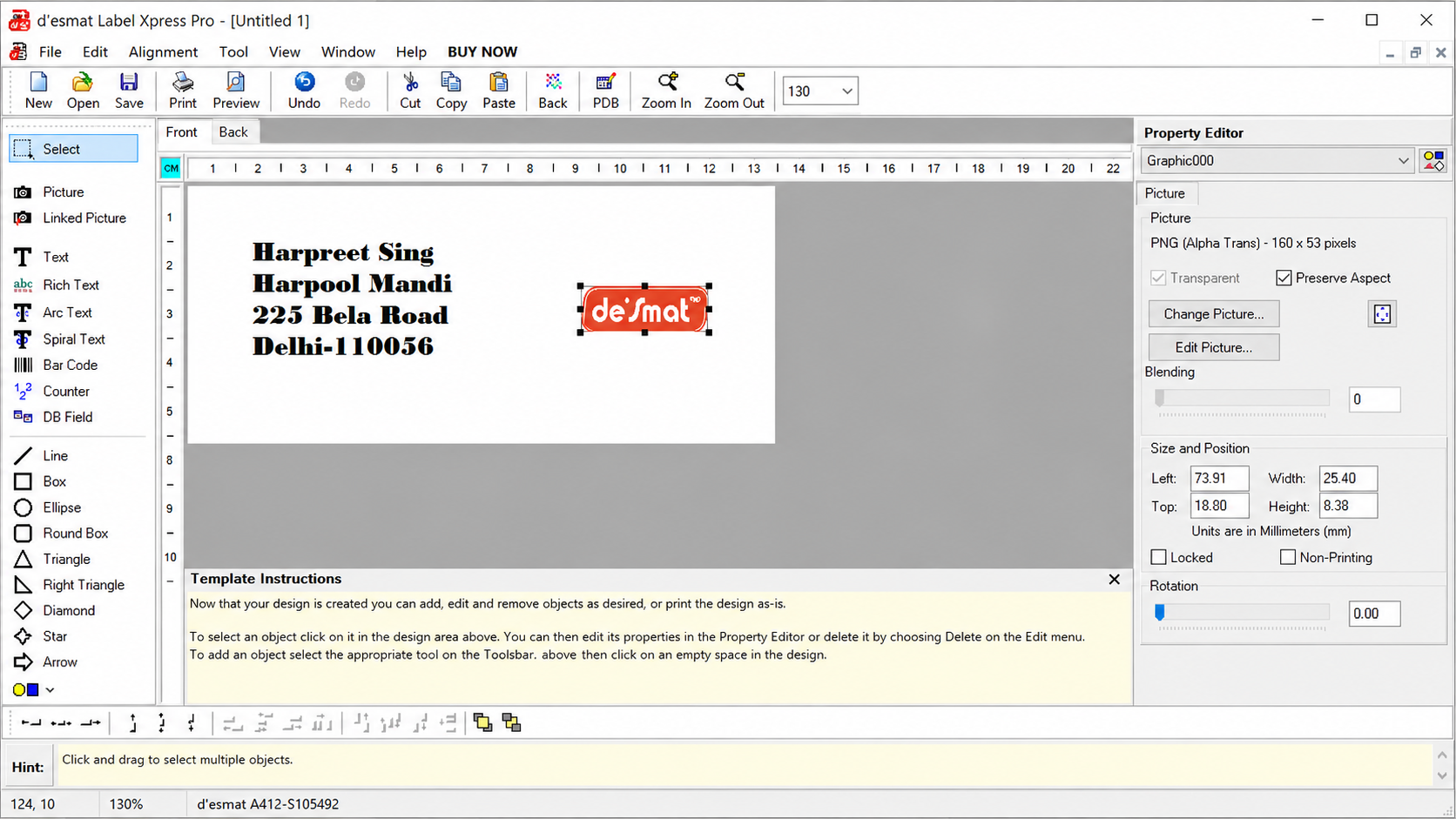
Explore the actual LabelXpress Pro interface, from selecting a label format to designing the label and reviewing the final print layout.
Design Workspace
Create and arrange your label within the main LabelXpress Pro workspace.
Actual LabelXpress Pro interface
Desmat Label Compatibility
Choose the Label. Start with the Right Layout.
Desmat offers A4 label formats for different business labelling requirements. LabelXpress Pro helps users work with the appropriate layout for the label stock they are using, reducing the need to recreate page dimensions and label positions manually.
Through the Design Wizard, users can search for the required Desmat label stock or SKU and begin with the corresponding layout before creating the label design.
Match the Label Stock
Select the Desmat label format being used so the design starts with the appropriate label arrangement.
Design Within the Correct Layout
Create the label inside the selected format instead of manually rebuilding the sheet structure each time.
Move from Product to Print More Easily
Keep the physical Desmat label sheet and the digital design layout connected throughout the preparation process.
Desmat A4 Label Sheet
A4ST14-100S14 per sheet
LabelXpress Layout
The same label,ready to design
Finished Printed Label
A sampleaddress label
More Desmat A4 formats
2 per sheet199.6 × 143.5 mm
8 per sheet99.1 × 67.7 mm
21 per sheet63.5 × 38.1 mm
65 per sheet38.1 × 21.2 mm
Need the Right Label Sheet for Your Design?
Explore Desmat A4 Labels to compare available sizes, formats and product options before selecting the label for your requirement.
Variable Data Printing
Create Once. Let the Information Change.
When a set of labels shares the same design but contains different information, LabelXpress Pro can work with database fields, counters and linked content to prepare changing label data within a consistent layout.
This is particularly useful for repetitive business labelling where names, addresses, identification details, numbers or images may vary from one label to the next.
Master Label
One reusable design
Data Source
Changing information, one row per label
RecordsSample dataSample records, for illustration only Name City Code Image Amit Verma Delhi DL-001 Neha Kapoor Jaipur RJ-002 Rohan Mehta Mumbai MH-003 Generated Labels
The same design, filled in
- Create one label design
- Connect changing information
- Preview multiple records
- Prepare the label set for printing
Use Database Fields
Place changing information into predefined areas of the label so multiple records can use the same underlying design.
Generate Sequential Information
Use counters for labels that require changing or consecutive numbers without manually editing every label.
Work with Linked Images
Use linked pictures where the displayed image needs to change along with the associated label information.
Keep the layout consistent while the content changes from one label to the next.
Get Started
Try LabelXpress Pro for 30 Days
Download LabelXpress Pro and explore the software with a 30-day free trial. Use the trial period to set up your label formats, create designs and understand how the software fits your printing requirements.
- Format
- EXE
- Size
- 4.6 MB
A 30-day free trial.
30-Day Free Trial
Use LabelXpress Pro for 30 days before moving to a paid licence.
Continued Use
A paid licence is required to continue using the software after the trial period.
Help When You Need It
Installation guidance and step-by-step tutorials are available to help users get started and work through common LabelXpress Pro tasks.
Get Your Paid Licence at Any Time
No need to wait for the trial to end. Connect with the Desmat team during your free trial or after it to get your paid LabelXpress Pro licence.
Tutorials & Help
Learn the Software Step by Step
Need help with a specific task? Explore practical LabelXpress Pro tutorials covering label creation, database linking and printing workflows.
Video Tutorial
How to Link a Database
Video Tutorial
How to Print Labels
Video Tutorial
How to Print Linked Images
FAQs & Support
Questions Before You Get Started?
Find quick answers about the LabelXpress Pro trial, Desmat label compatibility, variable data features and available learning resources.
LabelXpress Pro is Desmat’s label design and printing software for creating label layouts, adding text, images, barcodes and variable information, and preparing labels for printing.
Yes. LabelXpress Pro is available with a 30-day free trial so users can explore the software before moving to a paid licence.
A paid licence is required to continue using LabelXpress Pro after the trial period. You do not have to wait for the trial to end: contact the Desmat team at any time, during the trial or after it, to get your paid licence.
Yes. LabelXpress Pro is connected with Desmat’s A4 label formats, and the Design Wizard can help users select the relevant label stock or layout before creating a design.
LabelXpress Pro includes tools such as database fields, counters and linked pictures for label jobs where information can vary between records.
Desmat provides LabelXpress Pro tutorials covering tasks such as creating labels, linking a database, printing labels and printing linked images.
If the available tutorials do not answer your question, you can contact the Desmat team for further assistance.
Ready to Start Designing Your Labels?
Get started with Desmat LabelXpress Pro, explore the tutorials when you need guidance, or browse Desmat A4 Labels to find the format that fits your requirement.